
Warehouse app
Weekly rack checks for the warehouse team.
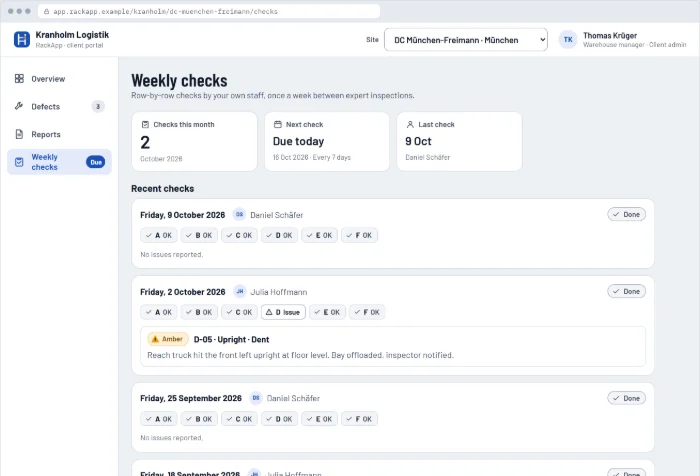
Between expert inspections, the person responsible for the racking on site and their team check the racks every week. In RackApp they go row by row, report damage with a photo and mark repairs as fixed. It's the same app as the inspector's, with a simpler role.
Their home screen shows a plan of the warehouse, today's red alerts from the inspector, the weekly check that's due and the open items from signed reports.
All 4 screens are clickable, with sample data. No registration.
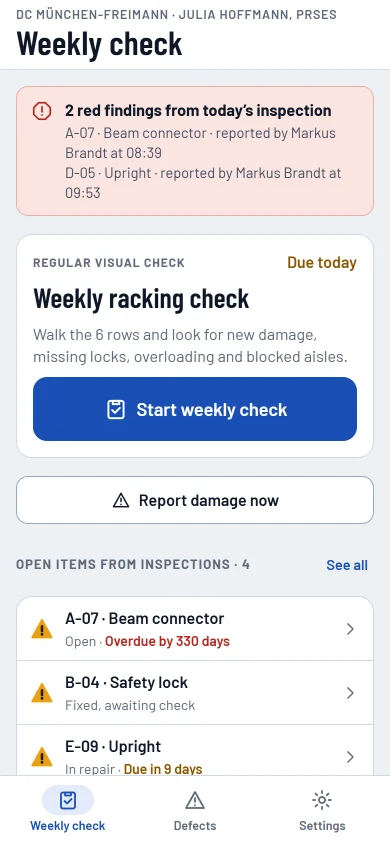
Weekly check
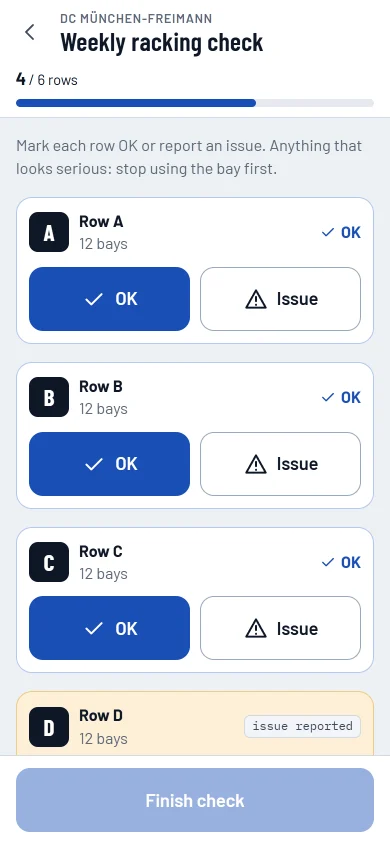
Row by row: OK or issue
Large buttons for each row, OK or Issue. Made for warehouse staff, not for inspectors: no measurements, no classes to choose.
Report an issue
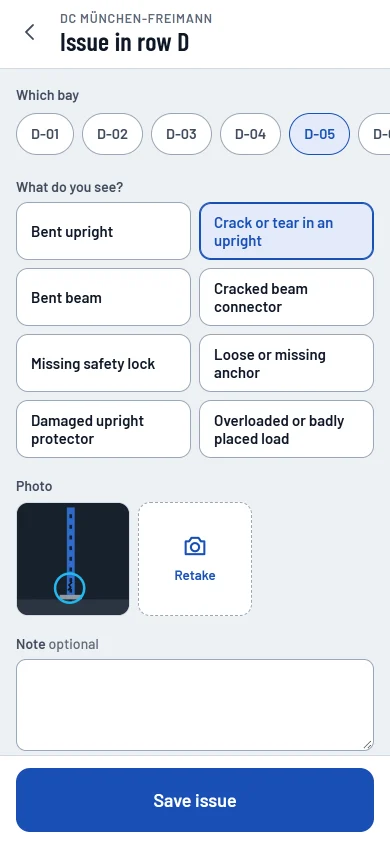
Damage reported with a photo
Staff pick the bay, choose what they see and add a photo. When the rule pack treats that kind of damage as red, a crack for example, the app tells them to stop using the bay and inform the person responsible.
Repairs
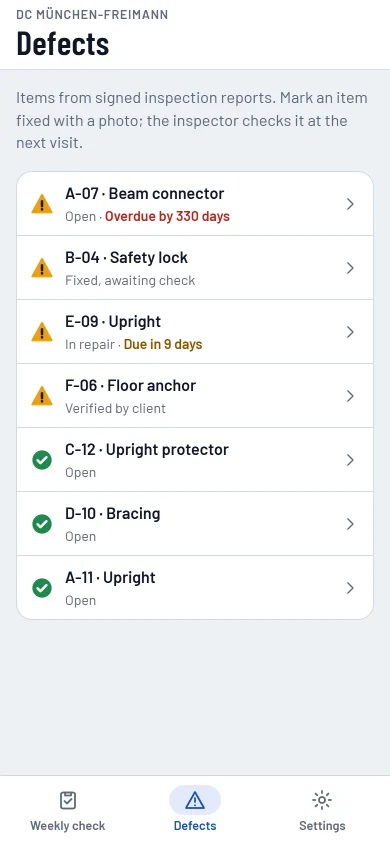
Repairs, with proof
The open items from signed reports are listed with their due dates. Staff mark a repair as fixed with a photo, and the inspector confirms it at the next inspection.
For managers
Managers follow it in the portal
Every weekly check and every reported issue also shows up in the client portal, next to the inspector's reports and the defects in repair.
Do your clients' teams check their racks every week?
Get started, then invite your clients' teams. Their weekly checks land next to your reports.